Roblox Just Launched New Safety Features for Kids—Here’s What Parents Need to Know



Here’s what parents need to know about Roblox’s new safety features: Roblox Kids and Roblox Select
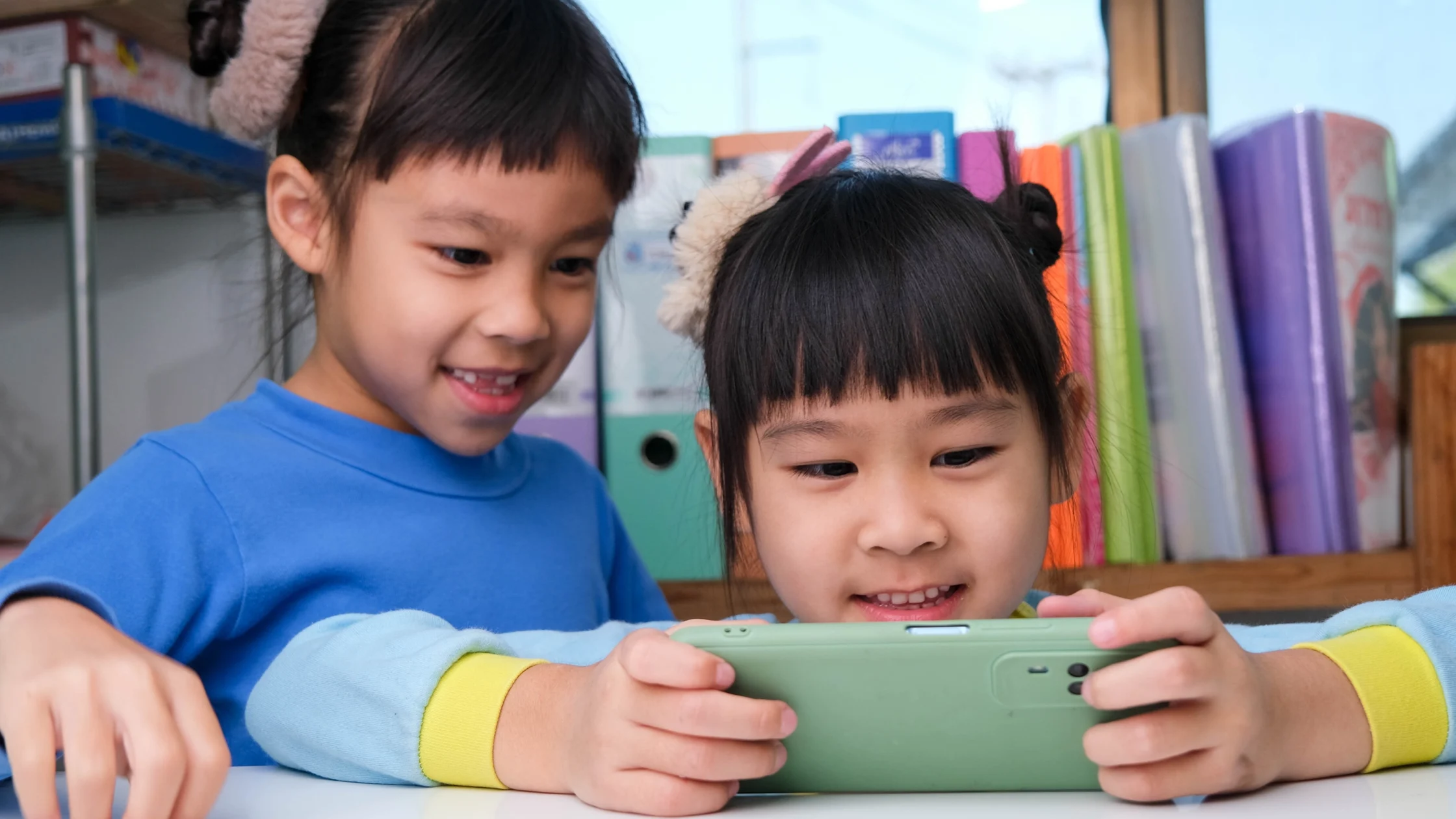
Almost every kid nowadays plays Roblox. To them, it’s their whole world. With studios to develop games and channels to meet and play with other kids their age, it’ll be very hard to just ban it outright. However, considering all the things that have happened, we’re all just asking ourselves: “Is it safe?”
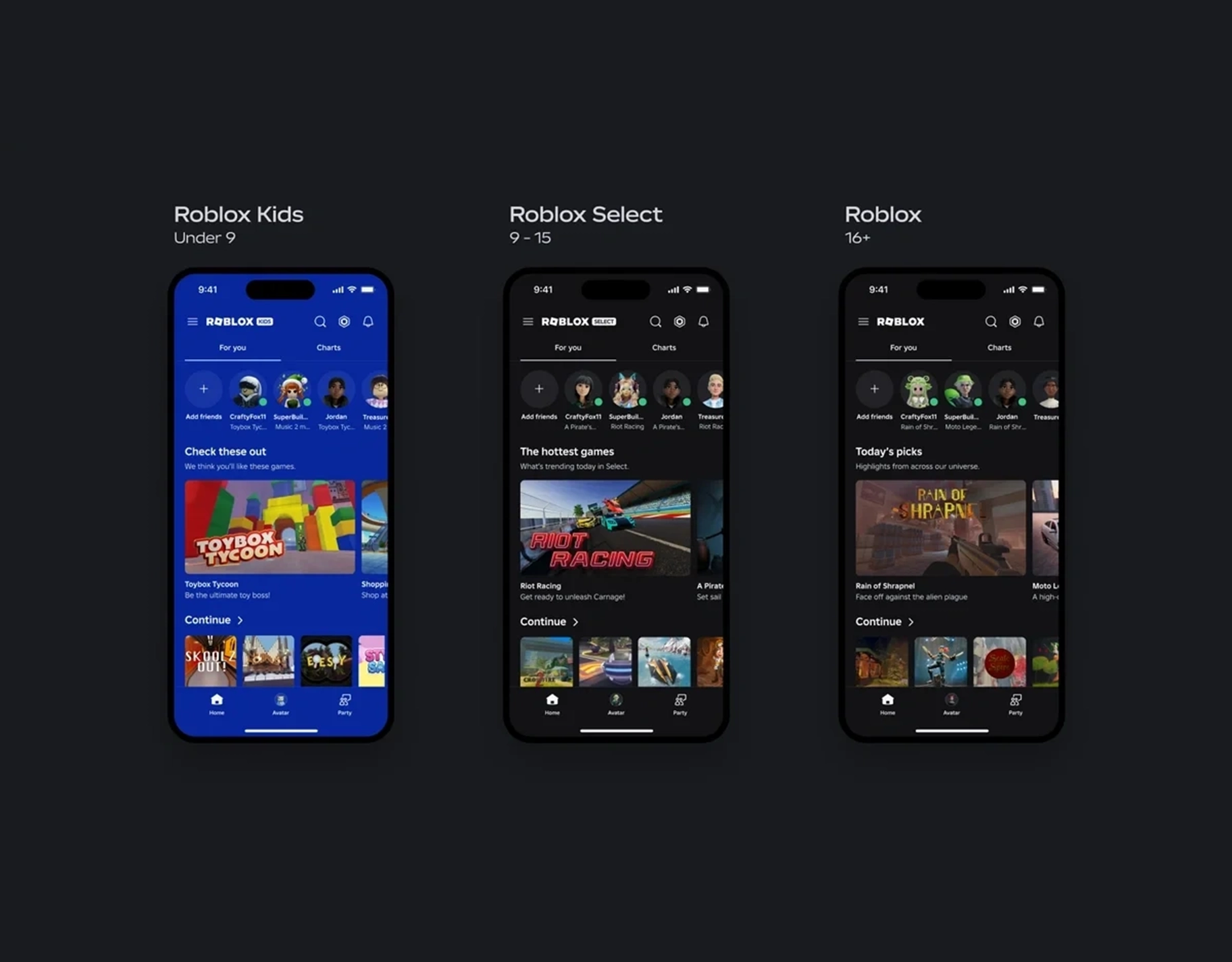
Roblox hoped to comfort us with its latest security update. Released in April 2026, the platform rolled out the new child safety features through new account types: Roblox Kids and Roblox Select. It includes age-based curation and expanded parental controls for users under 16, hoping to create more shields for kids online.
But like any other game, these are features that still need users to know about them and how to use them.

What’s Actually New?
Using age as the criterion, the game will start curating content based on that. Younger kids won’t stumble into games or content meant for older gamers. It’s a filter that can be adjusted through the settings, and we, parents, will have to learn how to set it up. Features will vary depending on the account.
Roblox Kids
If we’re giving our kids the Roblox Kids account, these are the features they’ll have.
- Access will be limited to games with a Minimal or Mild content maturity label that have passed Roblox’s three-step selection process.
- Developer verification: Creators must complete ID verification, enable two-step verification, and maintain an active Roblox Plus subscription.
- Real-time evaluation: Roblox will be analyzing how users aged 16 and older interact with new games and monitoring user reports to assess suitability for younger users.
- Content maturity rating and default exclusions: Roblox will assign an appropriate content maturity label (Minimal, Mild, or Moderate) for each game.
- All communication is disabled by default.
- The design will include a distinct background color across the app experience to indicate the account type.
Roblox Select Accounts (Ages 9–15)
Roblox Select accounts will be for users ages 9 to 15, which will be verified by the universal age-check system or by a verified parent. These accounts will be matched to a dynamically updated catalog containing thousands of select games.
- Access will be limited to games with content maturity labels up to and including Moderate that have passed our three-step selection process (detailed below).
- Default communications settings will remain unchanged for ages 9 to 15.
- The design will include a distinct visual treatment to indicate account type.
By default, Roblox Kids and Roblox Select accounts will not include games that feature sensitive issues, social hangouts, or free-form drawing games.
Parental Controls Updated for Roblox Kids and Roblox Select
Unfortunately, this means more studying for parents. The latest update gives parents more control, which means—we do have to learn how to navigate Roblox, no matter how jam-packed our schedule is going to be. Time to replace doomscrolling with learning how to keep Roblox safe for the kids.
According to Roblox’s official site, here are the new features they added:
- Extending granular game blocking: Parents can block specific individual games through age 15.
- Extending chat management: Parents can manage direct chat settings through age 15.
- New granular game approval: Parents can now approve access to specific games that are not otherwise available under the child’s default account type.
Roblox adds that these features also indirectly affect other features such as content ratings, communications settings, and screen-time and spending limits. “These tools also transparently show parents which games their child is spending their time in and who their friends are. Under this update, parents will gain one new control and retain access to certain controls until a child turns 16.”
Parent Setup Guide: How to Use Roblox’s New Safety Features
You don’t need to be tech-savvy to make this work. Start simple:
1. Set the Correct Age on Your Child’s Account
Roblox’s new safety system depends on accurate age info. This automatically unlocks the right content filters.
2. Explore “Roblox Kids” and “Roblox Select” Together
Treat it as a moment of learning a new tool. Learn the games that are there, and who knows? Maybe you’ll both find a game that you can play together.
3. Adjust Parental Controls
Head to settings and:
- Limit chat features
- Control who can message or invite your child
- Review gameplay history
4. Turn It Into a Conversation, Not a Rulebook
Explain why some features are limited. Kids are more likely to cooperate when they understand the reason.
5. Check In Regularly (Not Just Once)
Settings help, but quick check-ins do a lot more. Make it a dinner table conversation. Ask what they’re playing, who they’re playing with, and what they enjoy.
Raising Digital Natives in a Fully Connected World
Kids today aren’t just playing—they’re socializing, exploring, and learning how to exist in a world that’s always online. Friendships aren’t limited by school or neighborhood anymore. Bonds are formed in servers, chats, and shared digital spaces where distance doesn’t matter.
Platforms like Roblox blur the line between play and interaction. One minute, they’re building a world, the next, they’re talking to someone across the globe. That’s where things can get complicated—and why updates like age-based controls and curated spaces matter. They help create a more age-aware environment in a space that, until now, has felt a little too open.
But the digital world isn’t something we can opt out of forever. Our kids are digital natives. This is their landscape. The goal isn’t to pull them away from it completely—it’s to teach them how to move through it safely.
Because no platform, no matter how advanced, can replace parenting. There’s no built-in “auto-filter” for judgment, values, or instincts.
Kids still need to learn:
- What’s safe to share and what’s not
- How to recognize when something feels off
- When to come to you without fear of getting in trouble
So yes, let them play. Let them explore. Let them build.
But stay close enough to guide, and learn enough to protect and support. Because of these features, they won’t protect them automatically. They still need to be used by someone who intends to protect their kids.
Frequently Asked Questions
Roblox recently created two new types of accounts: Roblox Kids and Roblox Select, which come with built-in filters for features and content.
The new safety updates were rolled out in April 2026.
These are curated sections within Roblox that feature age-appropriate and more carefully reviewed games for younger users.
Yes. Parents can now limit chat features, manage interactions, and monitor activity through updated parental controls.
So long as parents actually learn how to use the parental controls and apply them then, yes—Roblox can become safer for kids.
More about kids online?
YouTuber-Lawyer Team Sues Roblox Over Child Safety Gaps
Real Life Counterparts To Roblox Games That Kids Love
10 Online Gaming Commandments Every Kid Should Know